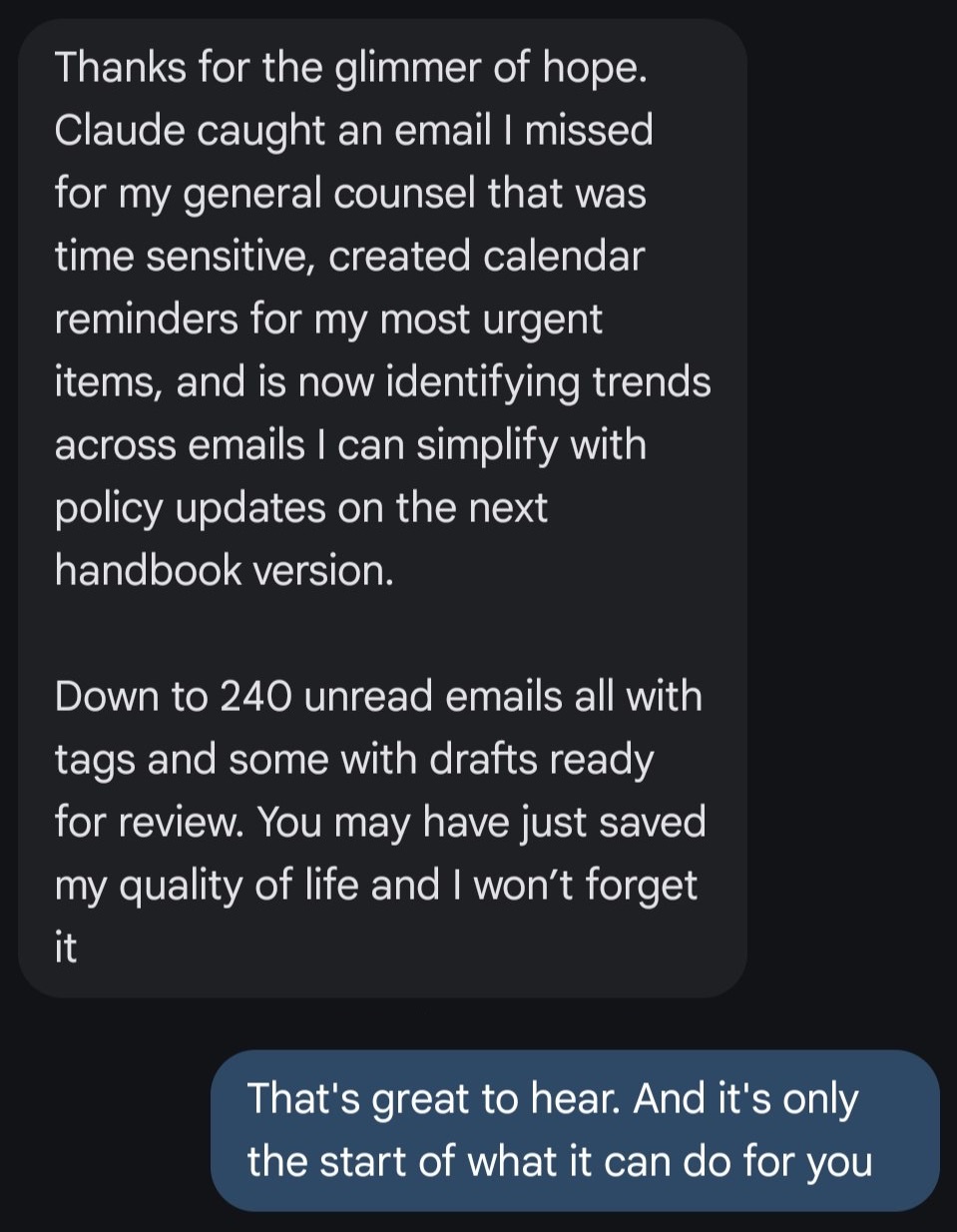
You may have just saved my quality of life and I won’t forget it
TeganWent from 480 unread emails to 240 after a foundational Claude setup.
Ten short lessons teach Claude, the AI assistant, to sort your mail and write replies in your voice. You read every draft and press send.
Inbox Zero with Claude. 10 lessons. Not blown away? Full refund within 14 days.
You need a paid Claude plan, Gmail or Microsoft 365 Outlook, and a Mac or Windows computer.
Trustpilot5-star average review on TrustpilotReply readySounds good. Friday morning works better on my end. Does 9 suit you?
Reply readyThanks for flagging it. I will check on this today and get back to you.
FinanceYour monthly statement is ready.
Read laterThis week’s issue.
You may have just saved my quality of life and I won’t forget it
TeganWent from 480 unread emails to 240 after a foundational Claude setup.

And the ability to so easily change things on the website.... Wow
CamilleText message.
Individual results. Yours will vary.
In Lesson 7 Claude reads your 50 most recent sent emails and writes down how you write, in rules you can read and change.
Ten short lessons, built to finish in one sitting. Then it runs every weekday morning.
You can install an app and follow some steps. You write no code.
Nothing leaves without you. Lesson 6 blocks send, reply, and forward.
You need a paid Claude plan, Gmail or Microsoft 365 Outlook, and a Mac or Windows computer.
 Josh CrossFounder, Kaizn
AI is hard to use. It really is. With the right systems you really can hand it about 80 percent of your day.
I’m not a programmer. I learned by doing, made all the mistakes, and I’m going to help you get through it without repeating them.
Same Claude, bigger jobs. Software and sites I built, live today.
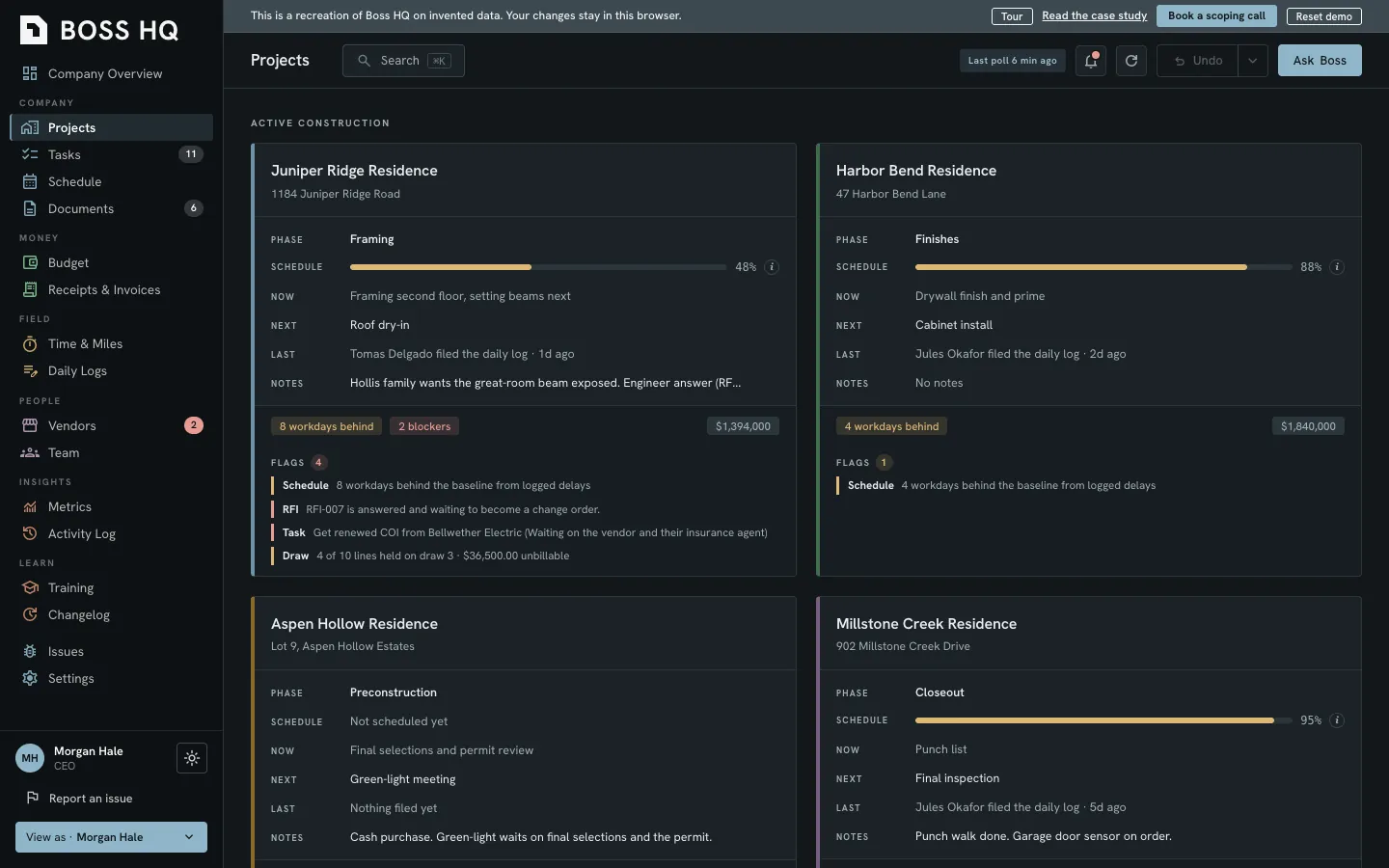
Jobs, money, documents, and people in one place, built around how a custom home builder actually runs. The team uses it every day.

Five live sites. One association has 640+ pages that republish themselves every 5 minutes.
See the sitesA knowledge base, proven tools, bespoke software, and training, built inside your own accounts. No list price, because we scope it with you first.
See servicesSetup is a one-time job. Then Claude sorts and drafts every weekday morning or whenever you tell it to, getting better with feedback.
In Lesson 7 Claude reads your 50 most recent sent emails and writes down how you write. You read every draft before it goes anywhere.
Neither do I. That's why Lesson 6 blocks it. Claude writes drafts, and you press send.
You do not need to be. The lessons show you what to click, and Claude builds the files. You write no code. You don't even need to know what a terminal is.
Lesson 2 takes you through it one step at a time: pick which Claude to use, switch off the setting that lets your chats train Claude, and see how much you have used.
The setup is what you were missing. This course is the setup: one step at a time, on your own accounts. Just follow some simple steps and Claude does the building.
You set what Claude may do with your mail. Lesson 2 switches off the setting that lets your chats train Claude. Lesson 6 lets Claude read your mail and write drafts, and blocks send, reply, and forward. Check Anthropic's privacy terms for your plan, and get your owner's or IT lead's yes before you connect company accounts.
Not for the weekday run. In the cloud it runs on its schedule even with your computer off, and you can use it from your phone, browser, or the Claude app.
It works with both. Outlook means a Microsoft 365 work or school account, the kind your employer or school gives you. Your administrator gives a one-time approval, and drafts wait until your administrator allows Claude to save drafts. Personal Outlook.com, Hotmail and Live accounts are not supported.
I guarantee you're going to love this. If it doesn't blow you away, or you want a full refund for any reason, you'll get one. Email [email protected] by the end of day 14.
Ten lessons, one sitting. Claude learns how you write and drafts your replies every weekday morning.
Fix my inboxTell me what the business is losing today and we’ll scope the thing that fixes it.
Book a free 20-minute callPS. This is not for you if your day starts in your inbox and cleaning that mess is your favorite part of the day. Or if you already have a stellar system to manage it.
I guarantee you’re going to love this. Full refund for any reason, by email, by the end of day 14.
Next: Claude for Busy People is coming. Email me when it opens.